Weekly accessibility monitoring · WCAG 2.1 AA
We check your website every Monday and tell you what changed.
A plugin update, a new product page, one theme tweak — and something that used to work through a screen reader quietly stops. Nothing warns you when that happens. That is the gap we watch.
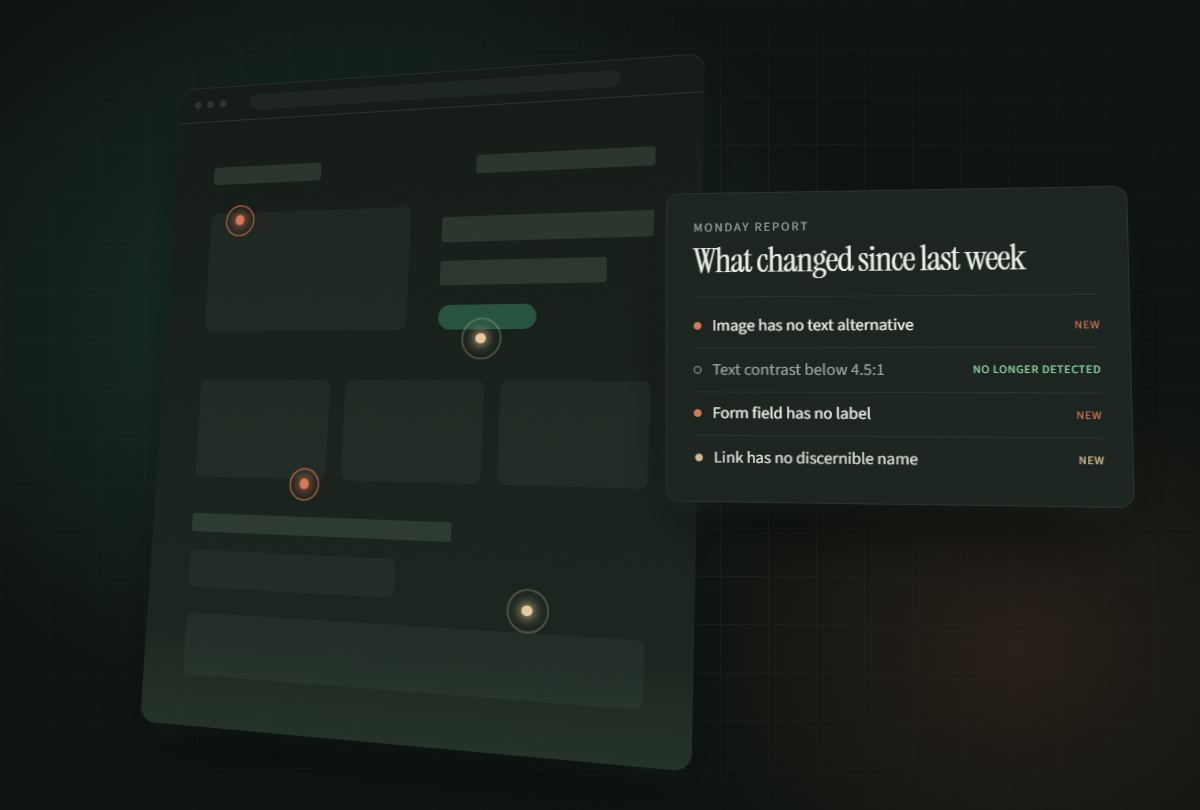
Scandiary · weekly scan
yourshop.exampleThis is what an automated check could see. It does not say you are compliant, and “no longer detected” does not mean “fixed”.
Since the last scan
| Change | Issue | Severity | Elements |
|---|---|---|---|
| New | Form elements have no label Critical | Critical | 12 |
| Increased | Links have no discernible name Serious | Serious | 8 → 14 |
| No longer detected | Images have no alternative text Moderate | Moderate | was 3 |
- Nothing to install. No plugin, no script, no line of code on your site.
- Runs on axe-core, the same open-source engine the free checkers use.
- One email a week, and only in the weeks when something actually changed.
How it works
Three steps, and then it is our problem.
- You give us your address. We visit your site the way a visitor would.
- Every Monday we scan the same pages and record what we found.
- If something changed, you get an email. If nothing changed, we stay quiet.
We scan public pages only, and we do not need a login, a plugin, or a line of code on your site. The scan runs from our machines, not yours. More than one site is fine: add each address with the same email and they come back in a single Monday email.
What you get
What arrives on Monday
A dated report, written for a person who is not a developer, plus the part no free browser extension can give you — a comparison with last week:
- New
- a problem that was not there before.
- Increased
- the same problem, now on more elements.
- Decreased
- fewer elements affected.
- No longer detected
- our scanner cannot find it anymore.
We write “no longer detected”, not “fixed”. A problem can disappear because the page was deleted, because an element only shows up sometimes, or because we looked at a different page. Disappearing is not proof of repair, so we do not call it one.
Why a quiet week matters
A week with nothing in it is a real result
A tool that finds something on every site, every week, is a comfortable thing to sell and a fast way to become noise. If every report has a finding in it, you learn to skim by the third week — and then you skim the week that mattered.
Ours comes back empty when it has nothing to report. Here is what that looked like on the scans we have published:
-
36
European shops we scanned in full, five pages each. The write-up.
-
2
of those 36 came back with nothing at all.
-
4/5
pages in our sample report returned nothing. See it.
This cuts both ways, and it should: a quiet week is not proof that your site is accessible. It means the checks a machine can run did not find anything new.
How much any scanner can actually see
Automated checks catch roughly a third of accessibility problems — ours included. The rest — whether your alt text is meaningful, whether your page makes sense to someone using a screen reader — needs a person.
So we will never tell you your site is accessible, and we will never put the word “compliant” on a report. No scanner can prove that. The companies that claimed otherwise have been fined for it.
What we can prove is what changed since last week. That is the whole product.
What it costs
Two plans. The free one is not a trial.
Free
$0 / forever
Five pages, scanned every Monday.
- Your front page and four more
- The weekly report, emailed to you
- Week-over-week comparison with the last scan
- Every issue named, with one example element each
- No account, no card, no trial running out
That part is not changing.
Paid
$12 / month
or $120 a year — two months off
Same scan, same Monday, and one site to each subscription. Monthly or yearly is your choice on the payment page.
- Everything in the free plan
- Where every problem is: each affected element listed with its CSS selector and the page it sits on, not one example — up to 25 per issue
- Twenty pages instead of five, if the site has that many
- We write to confirm which site to raise, usually the same day
See the same site on this plan
SubscribeMonthly and yearly are both on the payment page. One email cancels it.
Watching sites for clients rather than for yourself? Twenty subscriptions is not a sensible answer, and we know it — write to hello@scandiary.com with how many sites and we will work out a price. There is no agency tariff on this page because nobody has asked us for one yet, and we would rather ask you than invent a number.
If you signed up before today, nothing changes for you: your monitoring stays free, because we said we would ask you first and we are not going to charge you instead. Payment is handled by Polar, who are the merchant of record and deal with the VAT — your card details never reach us. The full list of companies involved is on the privacy page.
Before you sign up
Questions people ask before signing up
Does this make my website compliant with the European Accessibility Act?
No, and no automated tool can. Automated checks find roughly a third of accessibility problems. The rest — whether alt text is meaningful, whether a page makes sense through a screen reader — needs a human being. Scandiary tells you what an automated scan found and what changed since last week. It does not issue a compliance verdict, and no report we send will ever use that word.
What is the European Accessibility Act, and does it apply to my shop?
The European Accessibility Act is Directive (EU) 2019/882. It has applied across the EU since 28 June 2025 and it covers consumer services including e-commerce. Microenterprises providing services — fewer than 10 staff and annual turnover or balance sheet total of no more than €2 million — are exempt from the service requirements, though that exemption disappears as soon as a business grows past those thresholds. The technical yardstick used in practice is WCAG 2.1 AA, which is what we scan against. We are not lawyers, and this is not legal advice.
Do I need to install anything on my website?
No. There is no plugin, no script and no line of code to add. We visit your public pages the way an ordinary visitor would, from our own machines. You give us a starting address and an email address, and that is the entire setup. We never need a login.
How is this different from a free accessibility browser extension?
It is not different in what it finds. We use axe-core, the same free open-source engine most tools are built on, so a browser extension will show you the same issues on a page you are looking at. The difference is memory and repetition: we scan the same pages every Monday, keep the history, and tell you what is new, what increased, what decreased and what is no longer detected. Nobody runs an extension on their own site every week for a year, which is the only reason this exists.
What does a weekly report actually contain?
A dated report written for someone who is not a developer, listing each issue type found, how many elements it affects, and how that compares with the previous scan. If nothing changed, we send nothing — a quiet week is a real result, not a failure. We write “no longer detected” rather than “fixed”, because a problem can disappear because a page was deleted or because an element only appears sometimes. Disappearing is not proof of repair.
Twelve more, including which pages we choose, what happens when you redesign, and how you stop it: all the questions, answered.
Before the first Monday
The first report does not wait for a Monday.
We scan your pages as soon as you sign up and send that one straight away, whatever day it is. After that it settles into the weekly rhythm: every Monday, and an email only in the weeks when something changed.
Five pages free. The free plan is not a trial, and there is no card to enter.